

Want to re-print documents that you recently printed at the print station and avoid recovering at the wēpa website? Wēpa has released a NEW feature at the print station that will allow you to recover print jobs that have been printed and uploaded in the past 6 days:
23 articles about How to Print
Print PowerPoint Documents Multiple Slides Per Page
Print PowerPoint documents with multiple slides per page by using any of the print methods below:
How wēpa works
PRINT SOLUTION
Send your documents on-the-go and print at any conveniently located wēpa print station.
HOW DOES IT WORK?
1.Create Your Account
First-time users, create your wēpa account at any wēpa print station or online at wepanow.com.
2.Deposit Funds
At the wēpa print station, log in and select the “Deposit Funds” button.
On the web, log in at wepanow.com and select “Menu>Deposit Funds.”
3.Upload Your Documents
Send your documents to the wēpa print cloud from your smart phone, tablet or computer.
4.Log In At Any wēpa Print Station
Enter your username and password or swipe a tagged card.
5.Print Your Documents
Select your method of payment.
wēpa account and credit/debit cards are accepted.
FOR FASTER LOG IN WITH THE USE OF A CARD:
Tag any card with a magnetic stripe to your wēpa account.
Log in and select the “tag card” icon at the wēpa print station to tag your card.
UPLOAD YOUR DOCUMENTS AND PRINT!
Try one of these easy ways to print using wēpa:
Cloud
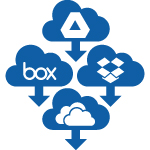
Access your Box, Google Drive, Dropbox or OneDrive account at any wēpa print station to print your files.
Web
Log in at wepanow.com/webupload, select your documents and “send to wēpa.”
Traditional
One-time download: wepanow.com/printapp
Open your document, choose “File>print” and select your preferred wēpa printer.
Using the email tied to your wēpa account, email your documents to print@wepanow.com.
Mobile
Download the “wēpa Print” app and follow the instructions.
USB
Insert your USB drive at any wēpa print station.
How to Print: Upload / Print Methods





Multiple methods are available to print at a wēpa print station. The following post provides information on the different methods of uploading and/or printing documents:
- Print App: Windows / Mac
- Email-To-Print
- Web Upload
- Cloud Storage
- Mobile App: Android / iOS
- USB
Cloud Storage & LMS
Access documents on cloud storage or learning management system (LMS) applications directly at a wēpa print station. Cloud storage applications currently available are box, Google Drive, OneDrive, Dropbox, and Office 365. Learning Management Systems are available depending on the school and include Canvas, D2L, Moodle, Blackboard Learn, or Sakai.
New User Video
Windows Tablet
By attaching a file to an email and sending it to print@wepanow.com, wēpa is compatible with nearly any device with an internet connection. More information can be found at the Email-to-Print post. Regarding Windows Tablets, there are two types, Windows Surface RT (Windows Surface 2 for the later generation) and Windows Surface Pro. Windows Surface RT and Surface 2 tablets do not allow the installation of third party software therefore not allowing the installation for the wēpa print driver. In this instance simply use the previously mentioned Email-to-Print feature from wēpa. If tablet is a Windows Surface Pro, simply install the Windows Print App.
Deposited Funds on wēpa Account Not Available
It probably means that you have more than one wēpa account, and have deposited money into the one that you did not choose to print from. Contact Support for assistance (1.800.675.7639 / help@wepanow.com / Chat Below).
Blank Pages
Some schools utilize Blackboard and various other online resources for posting of documents available for students. In order to avoid formatting issues or blank pages when printing a PDF from web based documents, either save it to the desktop of the computer, open the document from there and print, or scroll cursor over the bottom of the page to reveal the print icon. …
Do I need to activate a wēpa Print Card?
No, wēpa Print Cards are not associated with accounts. They come with a pre-loaded dollar amount and can be discarded after use. …